
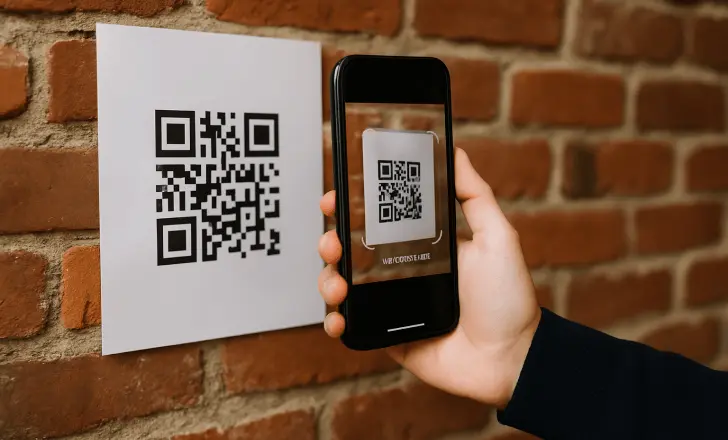
QR codes make it easy to access digital information without manually entering long web addresses. They are commonly used on menus, product packaging, tickets, advertisements, business cards, and other printed materials.
When you only need basic scanning, a free QR code reader can be a practical option. However, choosing a suitable tool involves more than checking whether it costs nothing. Reliability, privacy, usability, and security should also be considered.
What Makes a QR Reader Reliable?
A reliable QR reader should consistently recognize clear QR codes and provide understandable results. The scanning process should also be straightforward, without unnecessary steps or confusing interfaces.
The quality of the QR code itself matters as well. A scanner may have difficulty reading images that are blurry, distorted, cropped, or too small.
Look for a Simple Interface
Ease of use is especially important for people who only scan QR codes occasionally. A clean interface should make it obvious how to upload an image or start a scan.
Avoid tools that make basic scanning unnecessarily complicated. The most useful features should be easy to find and understand.
Check Image Support
If you plan to scan QR codes saved on a computer, image upload support can be particularly valuable. You may want to decode screenshots, photographs, downloaded graphics, or QR codes contained in digital documents.
Before choosing a reader, check whether it supports the types of images you commonly use. A clear, complete image will usually provide better scanning results.
Consider Privacy
Privacy is an important consideration when using any online service that processes uploaded files. A QR code image may sometimes contain additional information that you do not intend to share.
Review the service’s privacy information and understand how uploaded content is handled when that information is available. Whenever possible, upload only the image needed for scanning.
Avoid Unnecessary Personal Information
If a QR code appears within a larger screenshot or document, check whether the surrounding content contains personal or confidential information.
Cropping the image to include only the relevant QR code can reduce the amount of unrelated information submitted to an online scanner.
Pay Attention to Security
A QR reader can decode a QR code, but it cannot guarantee that the destination is legitimate. A code may point to a genuine website, a misleading page, or a phishing site.
For this reason, a safe scanning routine should include reviewing the decoded result before taking action.
Check URLs Carefully
If the reader produces a website address, inspect the domain before opening it. Watch for unusual spellings, unexpected domains, or addresses that do not match the organization associated with the QR code.
Be especially cautious if the resulting page asks for passwords, payment details, verification codes, or unexpected downloads.
Avoid Unnecessary Permissions
If you use a browser-based reader, consider what permissions the service requests. A basic image-based scanning task should not require access to unrelated device information.
If a service asks for permissions that seem excessive for its stated purpose, consider whether you need those features at all.
Check Browser Compatibility
A reliable online reader should work properly with a modern browser. Before depending on a particular service, make sure it functions on the device you normally use.
Performance can vary depending on the browser, device, internet connection, and image quality, so occasional testing can help identify compatibility issues.
Free Does Not Always Mean Better
There are many free tools available, but price should not be the only factor in your decision. A reader that is free but difficult to use, unclear about privacy, or filled with unnecessary features may not be the best choice.
Instead, focus on whether the service meets your basic requirements without creating additional privacy or security concerns.
Free QR Reader vs. Paid Software
For occasional QR code scanning, a free browser-based tool may be sufficient. Paid applications and services may provide additional capabilities designed for frequent users or business environments.
If your needs are limited to decoding QR codes from time to time, there may be little reason to pay for advanced functionality you will not use.
A Quick Selection Checklist
Before using a free QR code reader regularly, consider these questions:
- Is the scanner easy to navigate?
- Does it reliably decode clear QR code images?
- Does it support your preferred file types?
- Are privacy practices clearly explained?
- Does it avoid unnecessary permissions?
- Can you review decoded URLs before opening them?
- Does it work properly on your preferred device and browser?
These criteria can help you choose a tool based on practical needs rather than cost alone.
Final Thoughts
Choosing a safe and reliable free QR code reader requires a balance of convenience, performance, privacy, and security. A simple interface and accurate decoding are useful, but they should not come at the expense of responsible data handling.
Once you find a suitable scanner, continue to review decoded links before interacting with them. With clear images and sensible security habits, free QR scanning can be a convenient solution for everyday use.