
Zain Malik’s morning used to involve five different apps and a lot of squinting. Check the bus, check the coffee order, check the bank, check the weather, check the calendar. Last spring he watched his phone do it differently. His lock screen showed the bus ticking down in real time, his coffee order moved from “preparing” to “ready” without him opening anything, and he paid with a glance and a tap. He walked out the door without unlocking his phone once.
That kind of friction-free routine is what every iOS App Development company is being asked to deliver now. Businesses no longer want an app that merely exists on the App Store. They want one that fits into a person’s day so naturally that it feels like part of the phone. This post looks at how iOS apps got there, which Apple technologies are driving the change, and what it all means for people choosing, using, or building them.
From Icon Grids to Ambient Experiences
When the App Store launched in 2008, an app was a self-contained box. You tapped an icon, waited, did your task, and left. The model stayed that way for years.
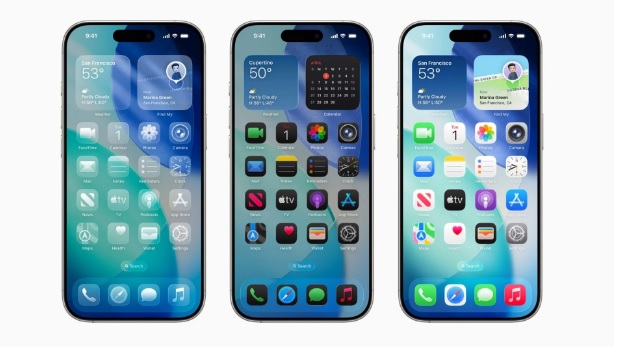
Today the best iOS apps often don’t need to be opened at all. They surface information where you already look. Widgets on the Home Screen show your step count, your next meeting, or an order status. Live Activities and the Dynamic Island track a ride, a food delivery, or a sports score on the lock screen. Notifications carry actions you can complete without launching anything.
This shift is subtle but huge. The old goal was to get people to open your app more. The new goal is to be useful at the moment of need, in the least amount of time. An app that respects your attention earns a place on your phone. One that demands it gets deleted.
Speed, Smoothness, and the Apple Silicon Advantage
Anyone who’s used both iPhones and budget devices notices the difference in feel. Part of that comes from Apple controlling the whole stack: hardware, chip, operating system, and the frameworks developers build on.
Apple’s A-series and M-series chips pair strong processing with efficient power use, so apps scroll smoothly, load fast, and handle demanding tasks like video editing or 3D rendering without cooking the battery. Swift, Apple’s programming language, and SwiftUI, its modern interface framework, let developers write cleaner code that runs close to the metal. Xcode and TestFlight give teams solid tools to build and beta-test before release.
The result is a mobile experience that feels fluid by default. Animations don’t stutter. Gestures respond instantly. When thousands of apps share the same design conventions and system behaviors, people learn the platform once and use everything with confidence. Apple’s recent Liquid Glass design language in iOS 26 pushed that visual consistency further across iPhone, iPad, and Mac.
Privacy as a Product Feature
Few things have changed the mobile experience as sharply as Apple’s stance on privacy. App Tracking Transparency made apps ask permission before following users across other companies’ apps and websites. Privacy Nutrition Labels on App Store listings summarize what data an app collects before you download it. Sign in with Apple lets you create accounts without handing over your real email address.
For users, that means more control and fewer unpleasant surprises. For businesses, it means a different playbook. Advertising and analytics strategies built on cross-app tracking had to be rethought. Many companies shifted toward first-party data, clearer value exchanges, and consent screens that explain why they’re asking.
Trust turned into a competitive edge. An app that collects only what it needs, says so plainly, and processes sensitive data on the device itself stands out. Apple’s on-device processing for features like Face ID and many Siri requests shows what that approach looks like in practice.
Payments, Identity, and One-Tap Convenience
Apple Pay quietly rewired how people buy things. Instead of typing a card number into a tiny form, you confirm with Face ID or Touch ID. Checkout drops from minutes to seconds, and abandoned carts drop with it. Retailers who added Apple Pay often report better mobile conversion because the biggest source of friction disappears.
Identity follows the same logic. Passkeys, stored in iCloud Keychain, replace passwords with biometric sign-in that’s harder to phish. Digital wallet passes hold boarding cards, event tickets, and loyalty cards. In some regions, you can add a driver’s license or ID to Apple Wallet.
The pattern repeats across the platform: remove steps, protect the user, and make the secure option the easy option. Apps that follow it feel modern. Apps that still ask you to create a password and verify an email feel like they belong in 2014.
On-Device Intelligence and Personalization
Machine learning on the iPhone has moved from novelty to infrastructure. Core ML lets developers run trained models directly on the device, so features like photo recognition, text translation, handwriting detection, and voice transcription work quickly and keep data local.
Apple Intelligence, introduced in 2024, extended that idea with writing tools, smarter notification summaries, and a more capable Siri. For app builders, App Intents let their features show up inside Siri, Spotlight, and Shortcuts, so a user can say “log my run” or “reorder my usual” without hunting for the right icon.
Personalization is the other half. Apps now adapt to your habits: suggesting the playlist for your commute, surfacing the right widget at the right hour, or adjusting a workout based on yesterday’s sleep. When it’s done well, the app feels like it knows you. When it’s done poorly, it feels like surveillance. The line between those two depends almost entirely on transparency and restraint.
Health, Fitness, and the Apple Watch Connection
The iPhone rarely works alone anymore. The Apple Watch turns it into a health hub. HealthKit gathers heart rate, sleep, activity, and workout data in a single, user-controlled place, and apps with permission can read it to offer better guidance. ResearchKit and CareKit have helped hospitals and universities run studies and patient programs through apps.
Zain, our commuter, stopped thinking of his phone as a communication device and started treating it like a control panel for his day. His watch told him when to stand, his phone summarized his sleep, and a running app adjusted his plan using data from both. None of those moments required effort. They just appeared.
This ecosystem effect is one of Apple’s strongest moves. An app that works smoothly across iPhone, Watch, iPad, Mac, AirPods, and CarPlay becomes harder to leave. For developers, it also opens new places to be useful.
Augmented Reality and Spatial Computing
ARKit has put augmented reality in hundreds of millions of pockets. Furniture apps let you place a sofa in your living room before you buy. Measuring tools turn the camera into a ruler. Education apps overlay anatomy on a desk. With the arrival of Apple Vision Pro and visionOS, the same frameworks stretch into spatial computing, where apps live in the room around you instead of inside a rectangle.
Most people won’t buy a headset this year, but the techniques are already filtering back to the iPhone. Better depth sensing, object capture, and room scanning improve everyday apps. Retail, real estate, healthcare training, and design are leading the way because the benefit is obvious: seeing something in context beats imagining it.
What It Means for Businesses
For companies, the iPhone audience is attractive. iOS users tend to spend more on apps and in-app purchases, and they update their operating systems quickly, so fewer old versions need support. A cleaner device landscape also cuts testing time compared with the many screen sizes and manufacturers on other platforms.
Budget is the first practical question. iOS App Development Cost depends heavily on scope. A simple utility or content app with a handful of screens might run from twenty-five to fifty thousand dollars. A mid-range product with user accounts, payments, push notifications, and a backend often lands between fifty and one hundred twenty thousand. Complex platforms with real-time features, AI components, wearable support, or heavy compliance requirements can pass one hundred fifty thousand. Design quality, team location, third-party integrations, and ongoing maintenance all move the number. Add Apple’s Developer Program fee of ninety-nine dollars a year and the commission on in-app sales, which is typically fifteen to thirty percent depending on your program.
A few decisions deserve early attention:
- Native or cross-platform. Native Swift gives the best performance and the earliest access to new Apple features. Cross-platform tools save money if you need Android too, with some trade-offs in polish.
- Minimum viable product first. Launch with the one thing users need most and expand with real feedback.
- App Store readiness. Review guidelines are strict. Plan for privacy disclosures, in-app purchase rules, and possible rejection cycles.
- Accessibility. VoiceOver, Dynamic Type, and good color contrast aren’t extras. They widen your audience and often satisfy legal requirements.
- Retention. Onboarding, helpful notifications, and widgets matter more than a long feature list.
Challenges and Honest Limitations
For all its strengths, the iOS ecosystem has real friction.
The walled garden. Apple’s rules limit what apps can do and how they’re distributed. Regulations like the EU’s Digital Markets Act are slowly opening alternative marketplaces in some regions, but most developers still depend on the App Store.
Fees and approval. Commission and review delays frustrate smaller teams, especially when a rejection hits right before a launch.
Device cost. iPhones carry a premium price. In markets like Pakistan and India, where Android dominates, an iOS-only strategy can miss most of the audience.
Notification overload. Powerful tools tempt teams to over-engage. Users turn off apps that talk too much.
Fast annual change. Every September brings a new iOS version, and apps need updates to stay compatible and take advantage of new features.
Frequently Asked Questions
How do iOS apps differ from Android apps? iOS apps follow Apple’s design guidelines and run on a tightly controlled set of devices, which makes behavior and performance more consistent. Android offers more hardware variety and customization. Both platforms have strengths, and many businesses build for each.
Why are iOS apps considered more secure? Apple reviews apps before they reach the App Store, sandboxes each app so it can’t freely access others, and enforces permission prompts for sensitive data like location and camera. No system is perfect, but the approach reduces risk.
What are Live Activities on iPhone? They’re real-time updates that appear on the lock screen and in the Dynamic Island, letting you follow things like deliveries, rides, and scores without opening the app.
How long does it take to build an iPhone app? A basic app can take two to four months. A complex product with several integrations may need six to twelve months or more, including testing and App Store review.
Do I need a Mac to build an iPhone app? Yes, in practice. Xcode runs on macOS, and it’s required to compile, sign, and submit apps to the App Store.
What makes an iOS app successful? A clear purpose, fast performance, clean design that follows Apple’s Human Interface Guidelines, honest privacy practices, and regular updates based on user feedback.
Final Thoughts
The modern mobile experience isn’t about more apps. It’s about fewer interruptions. iOS has pushed the industry toward software that appears when you need it, protects what you share, and connects with the other devices you own. The best apps now feel less like tools you operate and more like quiet assistants working in the background.
Zain still opens his phone plenty. But the first twenty minutes of his morning run on autopilot, and that’s the point. When technology does its job well, you barely notice it. You just notice that your day went smoother than it used to.