
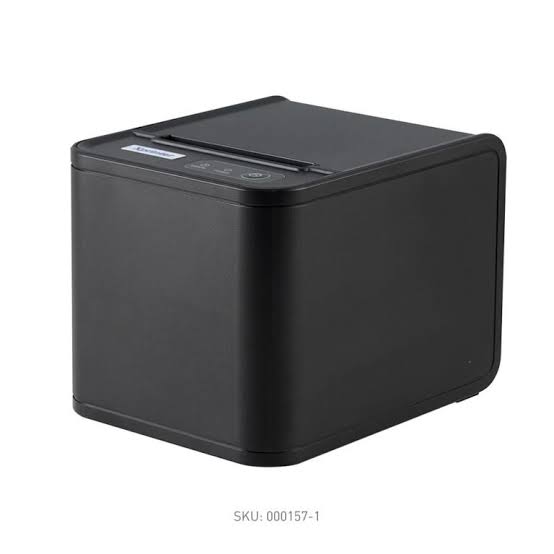
Print speed and resolution are two important specifications to consider when selecting thermal printing equipment. Businesses that produce receipts, labels, tickets, and transaction records need printers that can deliver information quickly without compromising readability. A printer that operates too slowly may interrupt daily workflows, while poor print quality can make important details difficult to read or scan.
Modern thermal printing technology is designed to support different commercial applications, but performance varies between models. When evaluating an Xprinter Thermal Printer, businesses should understand how print speed and resolution influence everyday operations. Comparing these specifications with actual printing requirements can help buyers select equipment that balances productivity, output quality, and operating costs.
1. Understanding Print Speed in Thermal Printers
Print speed refers to how quickly a printer produces printed content. It is commonly measured in millimeters per second (mm/s), although manufacturers may use other specifications depending on the printer type.
For receipt printers, speed determines how quickly transaction information can be converted into a physical document. In busy retail environments, even small differences in printing time can influence the overall checkout process.
Several factors affect actual printing speed:
- The printer’s rated maximum speed.
- The length of each receipt or label.
- The amount of text and graphics being printed.
- The selected print-density settings.
- The processing speed of the connected POS system.
- Communication performance between devices.
A printer’s advertised speed represents a specification under particular conditions. Actual results may vary depending on the application and operating environment.
2. Why Fast Printing Matters in Retail Operations
Retail businesses often process numerous transactions throughout the day. During peak periods, customers expect checkout procedures to be completed without unnecessary delays.
A thermal printer with suitable printing speed can help employees produce receipts more efficiently and maintain a steady transaction flow.
Faster receipt printing can support:
Reduced customer waiting: Employees can provide transaction records quickly after payment.
Improved checkout efficiency: Shorter printing times can help maintain smoother checkout operations.
Better peak-hour performance: Suitable equipment can support periods when transaction volumes increase.
More consistent workflows: Employees spend less time waiting for routine printing tasks to finish.
However, printing speed is only one part of checkout efficiency. Payment processing, barcode scanning, POS software, and employee workflow also influence the time required to complete a transaction.
3. Understanding Print Resolution
Print resolution describes the level of detail a printer can reproduce. It is commonly measured in dots per inch (DPI), which indicates how many individual printing dots can fit within a linear inch.
A higher DPI generally allows a printer to reproduce smaller details more precisely. This can be useful when documents contain compact text, logos, symbols, or detailed barcodes.
For thermal printers, resolution affects several aspects of printed output:
- Text sharpness.
- Barcode definition.
- Logo reproduction.
- Small graphic details.
- Fine lines and symbols.
Businesses should select a resolution that matches their document requirements rather than automatically choosing the highest available specification.
4. The Relationship Between Resolution and Receipt Readability
Receipts contain information that customers and employees may need to review later. Product descriptions, prices, taxes, transaction numbers, and payment details must remain clear enough to read.
Suitable print resolution helps reproduce these elements consistently, especially when receipts contain small fonts or detailed layouts.
For ordinary retail receipts with standard text, a common thermal printer resolution may be sufficient. Businesses printing dense information or small graphics should evaluate higher-resolution options when available.
Other factors also influence readability, including paper quality, printhead condition, font selection, and print-density settings. A high-resolution printer cannot compensate for unsuitable thermal paper or poor maintenance.
5. How Print Speed Influences Business Productivity
Printing speed can affect more than the time needed to produce an individual receipt. It can also influence how smoothly employees complete repeated printing tasks.
Consider a busy restaurant where employees print customer bills throughout the day. If each printing task takes longer than necessary, delays may accumulate during service periods.
Suitable printing speed can help businesses:
- Process customer transactions more smoothly.
- Reduce waiting between printing jobs.
- Improve employee workflow.
- Handle frequent document requests.
- Support more efficient service counters.
The benefits depend on printing volume and the wider business process. For a low-volume office or small shop, moderate printing speed may be entirely adequate.
6. Choosing Resolution for Barcode and Label Applications
Barcode readability is particularly important in warehouses, inventory departments, pharmacies, and retail environments. Scanners must be able to identify the printed pattern accurately to retrieve the correct information.
Print resolution can influence how precisely narrow bars, spaces, and other barcode elements are reproduced.
When selecting a printer for barcode applications, consider:
Barcode dimensions: Small barcodes may require more precise printing capabilities.
Scanner compatibility: Printed codes should be tested with the scanners used in daily operations.
Printing material: The label surface should be compatible with the selected printing technology.
Print density: Appropriate darkness settings help produce clear symbols without excessive spreading.
Application requirements: Some barcode formats and layouts have specific size and quality expectations.
Testing actual labels is a useful way to confirm whether a printer meets operational requirements.
7. Balancing Print Speed and Resolution
Print speed and resolution serve different purposes, but both contribute to overall printer performance. A business should not evaluate either specification independently.
A printer with high speed may be suitable for environments that produce large quantities of standard receipts. A higher-resolution model may be more appropriate for applications involving detailed graphics or compact barcodes.
The right balance depends on the intended use.
| Business application | Main consideration | Additional factor |
|---|---|---|
| Retail receipts | Consistent printing speed | Clear transaction details |
| Restaurant billing | Fast document production | Readable item descriptions |
| Product labels | Suitable resolution | Media compatibility |
| Barcode printing | Precise barcode output | Scanner readability |
| Ticket printing | Appropriate printing speed | Clear codes and text |
| Inventory documentation | Reliable output | Software compatibility |
Businesses with mixed printing requirements should compare models based on their most demanding regular application.
8. The Influence of Thermal Paper Quality
Thermal paper plays an important role in print quality. Its specially coated surface reacts to heat from the printhead, producing the text and images required for a receipt or other document.
Poor-quality or incompatible paper may result in faded printing, uneven output, or inconsistent results.
To maintain suitable print quality:
- Select paper that matches the printer’s specifications.
- Check the supported paper width and thickness.
- Store rolls away from excessive heat and direct sunlight.
- Avoid using damaged or creased paper.
- Follow the manufacturer’s recommendations for compatible materials.
Using appropriate thermal paper helps the printer deliver more consistent results and may reduce problems associated with unsuitable media.
9. Printhead Technology and Its Role in Performance
The printhead is one of the most important components of a thermal printer. It contains heating elements that activate selected areas of thermal paper or transfer material, depending on the printing technology.
The condition and design of the printhead influence both print quality and performance.
A clean printhead helps maintain consistent output, while contamination or wear may cause faded lines, missing characters, or uneven printing.
Regular cleaning is therefore important. Businesses should follow the manufacturer’s maintenance instructions and avoid using unsuitable cleaning materials that could damage the printing surface.
10. Understanding the Impact of Print Settings
Printer settings allow users to adjust output according to document requirements. These settings may include print density, paper size, print speed, and other options supported by the model and driver.
Incorrect configurations can affect the balance between speed and readability.
For example, excessively high print density may make text darker but can also increase printhead workload. In some applications, reducing unnecessary graphic detail can improve processing efficiency.
Businesses should test different supported settings using actual receipts or labels. The goal is to achieve clear, consistent output without applying unnecessary adjustments.
11. Matching Printer Performance to Daily Workload
The appropriate print speed and resolution depend on how frequently a printer is used and what it produces.
A small convenience store may print short receipts throughout the day, while a warehouse may produce numerous labels containing detailed barcodes. These applications require different performance priorities.
Before purchasing equipment, estimate:
- Average daily printing volume.
- Number of receipts or labels per hour.
- Typical document length.
- Amount of text and graphics.
- Required barcode size and readability.
- Expected peak-period workload.
This assessment helps businesses avoid paying for specifications that offer little practical value while ensuring that essential performance requirements are met.
12. How Connectivity and Software Affect Printing Performance
A printer’s rated speed does not always reflect the complete time required to finish a printing task. Data must first travel from the connected device to the printer, where it is processed before printing begins.
Connectivity and software compatibility can therefore influence the overall experience.
USB, Ethernet, Bluetooth, Wi-Fi, and serial interfaces are available on different thermal printer models. Each has its own configuration and compatibility requirements.
Businesses should also verify that the printer driver and POS software support the intended model. Incorrect settings or inefficient software communication may cause delays even when the printer itself has a suitable rated speed.
13. Maintenance Practices for Consistent Speed and Resolution
Regular maintenance helps preserve printing performance and reduces the likelihood of output problems.
A practical maintenance routine should include:
- Cleaning the printhead according to manufacturer instructions.
- Removing paper dust from the paper compartment.
- Inspecting the platen roller for visible dirt or wear.
- Checking the paper-feeding mechanism.
- Using compatible thermal paper or labels.
- Reviewing print-density and speed settings.
- Inspecting cables and connections.
Businesses should also monitor changes in print quality. Gradually fading text or recurring missing lines may indicate a maintenance issue or a component that requires inspection.
14. Comparing Printer Specifications Before Purchasing
Product specifications provide useful information, but buyers should evaluate them in relation to actual business needs.
When comparing thermal printer models, review:
- Maximum printing speed.
- Print resolution in DPI.
- Supported paper or label dimensions.
- Printing technology.
- Available connectivity options.
- Compatibility with operating systems.
- Printhead and cutter specifications.
- Warranty and technical support.
Requesting sample output or testing a printer before a large purchase can help confirm whether its performance meets expectations.
15. Common Mistakes When Evaluating Print Speed and Resolution
Buyers sometimes focus too heavily on one specification and overlook other factors that influence printing quality and productivity.
Common mistakes include:
Choosing the highest speed without assessing workload: A high-speed model may not provide meaningful benefits for a business with limited printing requirements.
Ignoring resolution: A fast printer may not be suitable for applications that require detailed graphics or small barcodes.
Overlooking paper compatibility: Unsuitable paper can reduce print quality regardless of the printer’s rated resolution.
Ignoring software performance: Driver and POS compatibility can affect the time required to process printing jobs.
Neglecting maintenance: Dirty printheads and worn components can lead to inconsistent results.
A balanced evaluation helps businesses choose equipment that performs well in everyday conditions.
Conclusion
Print speed and resolution are essential specifications when selecting thermal printing equipment. Speed influences how quickly receipts, labels, and tickets are produced, while resolution determines how clearly text, barcodes, and graphics appear on the printed material.
The ideal combination depends on the business application, printing volume, document complexity, and connected software. By comparing these specifications alongside paper compatibility, connectivity, and maintenance requirements, businesses can select a thermal printer that supports efficient workflows and consistently readable output.