
Efficiency is essential in the retail industry, where businesses handle numerous customer transactions, manage inventory, and maintain smooth checkout operations throughout the day. Even small delays at payment counters can affect customer satisfaction, employee productivity, and overall store performance. Retailers therefore rely on dependable equipment that helps simplify routine tasks and keep daily operations organized.
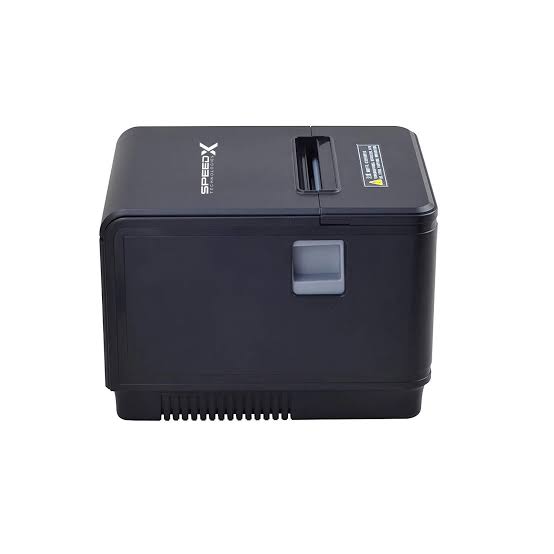
One technology that supports these requirements is the Thermal Receipt Printer. By using heat-sensitive paper instead of traditional ink or toner, these devices can produce receipts quickly with relatively low maintenance requirements. Their ability to integrate with modern point-of-sale (POS) systems makes them a practical solution for retail stores of different sizes.
The Role of Receipt Printing in Retail Operations
Receipt printing is an important part of the retail transaction process. After a customer completes a purchase, the business needs to provide a record containing product details, quantities, prices, taxes, discounts, and payment information.
Although this process may appear simple, printing delays and equipment problems can interrupt checkout activities, particularly during busy shopping periods.
Modern thermal printing technology helps retailers manage these tasks more efficiently. It supports quick transaction documentation and allows employees to focus on customer service rather than dealing with complicated printing procedures.
1. Faster Checkout Processes
Checkout speed directly influences the shopping experience. Long queues can discourage customers, especially during weekends, holidays, and seasonal sales.
Thermal receipt printers help reduce transaction delays by producing printed receipts within seconds. Their direct thermal printing mechanism does not require ink cartridges or toner replacement, allowing them to operate efficiently during repeated printing tasks.
Faster receipt production can help retail employees:
- Complete customer transactions more quickly.
- Reduce waiting times at payment counters.
- Manage busy checkout periods more effectively.
- Maintain smoother customer movement through the store.
When combined with efficient POS software and payment terminals, these printers contribute to a more organized checkout process.
2. Reduced Printing and Maintenance Costs
Operating expenses are an important consideration for retailers, particularly businesses managing multiple checkout counters. Traditional printing technologies may require ink cartridges, toner, or ribbons, increasing the number of consumables that need regular replacement.
Direct thermal receipt printers use specially coated paper to create printed images through heat. Since they do not require conventional ink or toner, businesses can simplify their supply management.
Their relatively straightforward printing mechanisms can also reduce certain maintenance requirements.
However, retailers should still account for thermal paper expenses, printhead cleaning, replacement parts, and electricity consumption when evaluating long-term operating costs.
3. Improved Employee Productivity
Retail employees perform several responsibilities, including processing payments, answering customer questions, organizing products, and handling returns. Equipment that simplifies routine tasks allows staff to spend more time on these activities.
Thermal receipt printers support employee productivity through straightforward operation and convenient paper-loading mechanisms.
Many models include features such as:
- Automatic paper feeding.
- Easy paper roll replacement.
- Automatic receipt cutting.
- Simple control buttons.
- Clear error indicators.
These features reduce the time employees spend managing printing equipment. As a result, staff can concentrate on customer interactions and other store responsibilities.
4. Better Integration With POS Systems
Modern retail stores depend on POS systems to process transactions and organize sales information. Receipt printers work alongside these systems to convert digital transaction records into physical documents.
When a purchase is completed, the POS software sends relevant information to the printer. The printer processes the data and produces a receipt containing the required details.
Depending on the model, connectivity options may include USB, Ethernet, Bluetooth, and Wi-Fi.
This flexibility allows retailers to integrate receipt printers with different checkout configurations. Network-connected devices can also support printing arrangements in which multiple workstations communicate with compatible printers.
5. Consistent and Readable Receipts
Receipt clarity is important for both customers and retail employees. Printed documents may be needed for returns, warranty claims, expense records, and transaction verification.
Thermal printing technology produces text and graphics by applying controlled heat to specially coated paper. This process can generate clear characters, numbers, and barcodes when the printer and paper are properly maintained.
Readable receipts help customers verify purchase details and allow employees to identify transaction information more easily.
Retailers should select appropriate paper quality and maintain the printhead regularly to support consistent output.
6. Faster Customer Service and Returns Processing
Customer service does not end when a purchase is completed. Retail employees frequently handle exchanges, refunds, product returns, and questions about previous transactions.
Printed receipts provide useful information for verifying purchases. They may include transaction numbers, purchase dates, product descriptions, prices, and payment details.
Thermal printers help generate these records quickly, supporting smoother customer service activities.
In stores with integrated POS systems, transaction information may also be stored digitally, allowing employees to retrieve records when customers no longer have their original receipts.
7. Space-Saving Checkout Counter Design
Retail checkout counters often contain several devices, including barcode scanners, cash drawers, payment terminals, monitors, and customer displays. Limited workspace can make equipment arrangement difficult.
Many thermal receipt printers feature compact designs that fit comfortably into these environments.
Smaller models can be especially useful for convenience stores, boutiques, kiosks, and businesses operating in restricted spaces.
A well-organized checkout counter can improve employee movement and make routine transaction activities more convenient.
8. Support for High-Volume Retail Transactions
Large supermarkets and busy retail chains may process hundreds or thousands of purchases each day. Their printing equipment must handle repeated operations without creating unnecessary interruptions.
Thermal receipt printers are commonly designed for frequent transaction printing. Features such as durable printheads, reliable paper-feeding mechanisms, and automatic cutters can support demanding retail environments.
When selecting equipment for high-volume operations, retailers should evaluate:
- Maximum recommended printing workload.
- Printing speed and consistency.
- Printhead service life.
- Automatic cutter durability.
- Paper roll capacity.
- Maintenance and replacement requirements.
Choosing a model that matches the store’s transaction volume can help maintain stable checkout operations.
9. Improved Barcode and Transaction Information Printing
Retail receipts contain more than product prices and payment totals. Some businesses also include barcodes, QR codes, promotional information, loyalty program details, and transaction references.
Thermal receipt printers can reproduce these elements when supported by the printer’s resolution, software, and paper specifications.
Barcodes are particularly useful in retail environments because they can simplify transaction verification and support certain return or exchange procedures.
For reliable scanning, businesses should ensure that printed codes have appropriate dimensions, contrast, and spacing.
10. Flexible Connectivity for Different Retail Environments
Retail businesses operate through different hardware arrangements. A small shop may use a single computer-based POS terminal, while a supermarket may have several network-connected checkout stations.
Thermal receipt printers offer different connection methods to accommodate these setups.
USB connections are suitable for direct communication with individual computers and POS terminals.
Ethernet connections support network-based installations and can be useful in larger retail environments.
Bluetooth connections provide wireless flexibility for compatible tablets and mobile POS devices.
Wi-Fi connections allow supported printers to communicate through wireless networks without requiring a direct physical connection to the POS terminal.
Selecting the right connectivity option can simplify installation and improve the flexibility of retail operations.
11. Better Organization of Daily Sales Records
Receipts provide customers with transaction details and help businesses maintain organized sales documentation.
Each printed receipt can contain important information, including:
- Transaction date and time.
- Purchased product descriptions.
- Item quantities.
- Individual and total prices.
- Applicable taxes and discounts.
- Payment method.
- Transaction identification number.
When integrated with suitable POS software, printed receipts can complement digital sales records.
This combination helps retailers review transactions, investigate discrepancies, and support accounting procedures.
12. Reduced Operational Interruptions
Equipment failures can interrupt checkout activities and create difficulties for employees and customers. Retailers therefore need printing devices that are straightforward to operate and maintain.
Thermal printers generally have fewer consumable components than traditional ink-based printers. This can simplify routine maintenance and reduce interruptions associated with replacing cartridges or ribbons.
However, problems such as paper jams, worn printheads, dirty rollers, and cutter failures can still occur.
Regular cleaning, suitable paper selection, and timely servicing help reduce avoidable printing interruptions.
Direct Thermal Printers vs. Traditional Receipt Printing Methods
Understanding the differences between printing technologies helps retailers choose equipment that matches their operational requirements.
| Feature | Direct Thermal Printing | Traditional Ink-Based Printing |
|---|---|---|
| Printing method | Heat-sensitive paper | Liquid ink |
| Ink cartridges | Not required | Required |
| Printing speed | Generally fast for receipts | Varies by printer |
| Maintenance | Relatively simple | Requires ink management |
| Noise | Generally quiet | Varies by model |
| Common applications | Receipts and tickets | General documents and images |
| Print durability | Sensitive to heat and light | Depends on ink and paper |
Direct thermal printing is particularly suitable for retail receipts because it provides convenient, fast output without conventional ink supplies. However, businesses requiring long-term document preservation should consider the storage limitations of thermal paper.
Factors Retailers Should Consider When Selecting a Thermal Receipt Printer
Not every receipt printer is suitable for every retail business. Purchasing decisions should reflect transaction volume, store layout, software requirements, and operating conditions.
Printing Speed and Resolution
Businesses with busy checkout counters should prioritize sufficient printing speed and clear output. The printer should also reproduce small text and barcodes accurately.
Paper Width
Common receipt paper widths include 58 mm and 80 mm. Smaller formats are suitable for basic transaction records, while wider formats provide additional space for detailed receipts.
Automatic Cutter
An automatic cutter can reduce manual handling and improve receipt collection. Retailers should compare cutter durability and cutting options before selecting a model.
POS Compatibility
The printer should support the store’s existing operating systems, POS software, and communication protocols.
Reliability and Warranty
Printhead quality, expected workload, replacement part availability, and warranty coverage are important considerations for long-term operation.
Total Operating Cost
Retailers should evaluate the purchase price alongside thermal paper expenses, maintenance costs, electricity consumption, and potential replacement components.
Best Practices for Maintaining Retail Receipt Printers
Regular maintenance helps preserve printing quality and reduce unexpected equipment problems.
Retail businesses can follow these practices:
- Clean the printhead according to the manufacturer’s instructions.
- Use compatible thermal paper with appropriate specifications.
- Inspect paper rollers for dirt, wear, or damage.
- Remove paper debris from the printer compartment.
- Check cables and wireless connections regularly.
- Replace worn components when necessary.
- Keep printers away from excessive heat, moisture, and dust.
- Update supported drivers and firmware when required.
Employees should also receive basic training on paper replacement and troubleshooting procedures. This makes it easier to resolve minor issues without disrupting checkout activities.
The Future of Thermal Receipt Printing in Retail
Retail technology continues to develop as businesses adopt mobile POS systems, cloud-based platforms, and more connected checkout environments.
Thermal receipt printers are evolving alongside these changes. Improved wireless connectivity, compact hardware designs, and more flexible software integration are making them suitable for a wider range of retail applications.
Another important development is the growing interest in digital receipts. Some retailers now offer customers the option to receive transaction records through email, text messages, or mobile applications.
Rather than completely replacing physical receipts, digital options can work alongside thermal printing to provide customers with greater flexibility.
Manufacturers are also exploring ways to improve printing efficiency, component durability, and energy management to meet changing business requirements.
Conclusion
Thermal receipt printers contribute to retail efficiency by supporting faster checkout processes, reducing certain maintenance expenses, improving employee productivity, and integrating with modern POS systems. Their compact designs and convenient operation make them suitable for businesses ranging from small shops to large supermarkets.
However, achieving these benefits depends on selecting equipment that matches the store’s transaction volume, connectivity requirements, and printing needs. By considering performance, paper compatibility, durability, and maintenance, retailers can establish a more reliable checkout environment and improve the overall shopping experience.